Converting high-res line art to vector has always been difficult and imperfect, but this is the best method I’ve found. These tools and actions turn selections into clean, editable vector paths that preserve the feel of your inks without tracing every individual pixel edge into oblivion.
Built for comic artists, inkers, and anyone doing production-heavy line work. You’ll need either Clip Studio Paint or Adobe Photoshop, and you’ll also need a vector editing program such as Adobe Illustrator, CorelDRAW or Affinity.
Look at the images to compare my process’s results against Illustrator’s IMAGE TRACE and the original raster art.
Comes with
Sample art files, in both .CLIP and .PSD formats, on which to try out the process
Actions to help separate an image into more manageable chunks for vector conversion
An .AI / PDF file containing
Detailed instructions on how to use the process, for both Photoshop and Clip Studio Paint with terms
You’ll need either Clip Studio Paint or Adobe Photoshop and either Adobe Illustrator, CorelDRAW or Affinity to run the process. Files included:
PHOTOSHOP FILES:
Tom’s Vector Conversion.atn
Sample Image.psd
Photoshop Read Me.pdf
CLIP STUDIO PAINT FILES:
Tom’s Vector Conversion.iaf
Sample Image.clip
Clip Studio Paint Read Me.pdf
Sample Image.ai
Sample Image.pdf
Converting high-res line art to vector has always been difficult and imperfect, but this is the best method I’ve found. These tools and actions turn selections into clean, editable vector paths that preserve the feel of your inks without tracing every individual pixel edge into oblivion.
Built for comic artists, inkers, and anyone doing production-heavy line work. You’ll need either Clip Studio Paint or Adobe Photoshop, and you’ll also need a vector editing program such as Adobe Illustrator, CorelDRAW or Affinity.
Look at the images to compare my process’s results against Illustrator’s IMAGE TRACE and the original raster art.
Comes with
Sample art files, in both .CLIP and .PSD formats, on which to try out the process
Actions to help separate an image into more manageable chunks for vector conversion
An .AI / PDF file containing
Detailed instructions on how to use the process, for both Photoshop and Clip Studio Paint with terms
You’ll need either Clip Studio Paint or Adobe Photoshop and either Adobe Illustrator, CorelDRAW or Affinity to run the process. Files included:
PHOTOSHOP FILES:
Tom’s Vector Conversion.atn
Sample Image.psd
Photoshop Read Me.pdf
CLIP STUDIO PAINT FILES:
Tom’s Vector Conversion.iaf
Sample Image.clip
Clip Studio Paint Read Me.pdf
Sample Image.ai
Sample Image.pdf

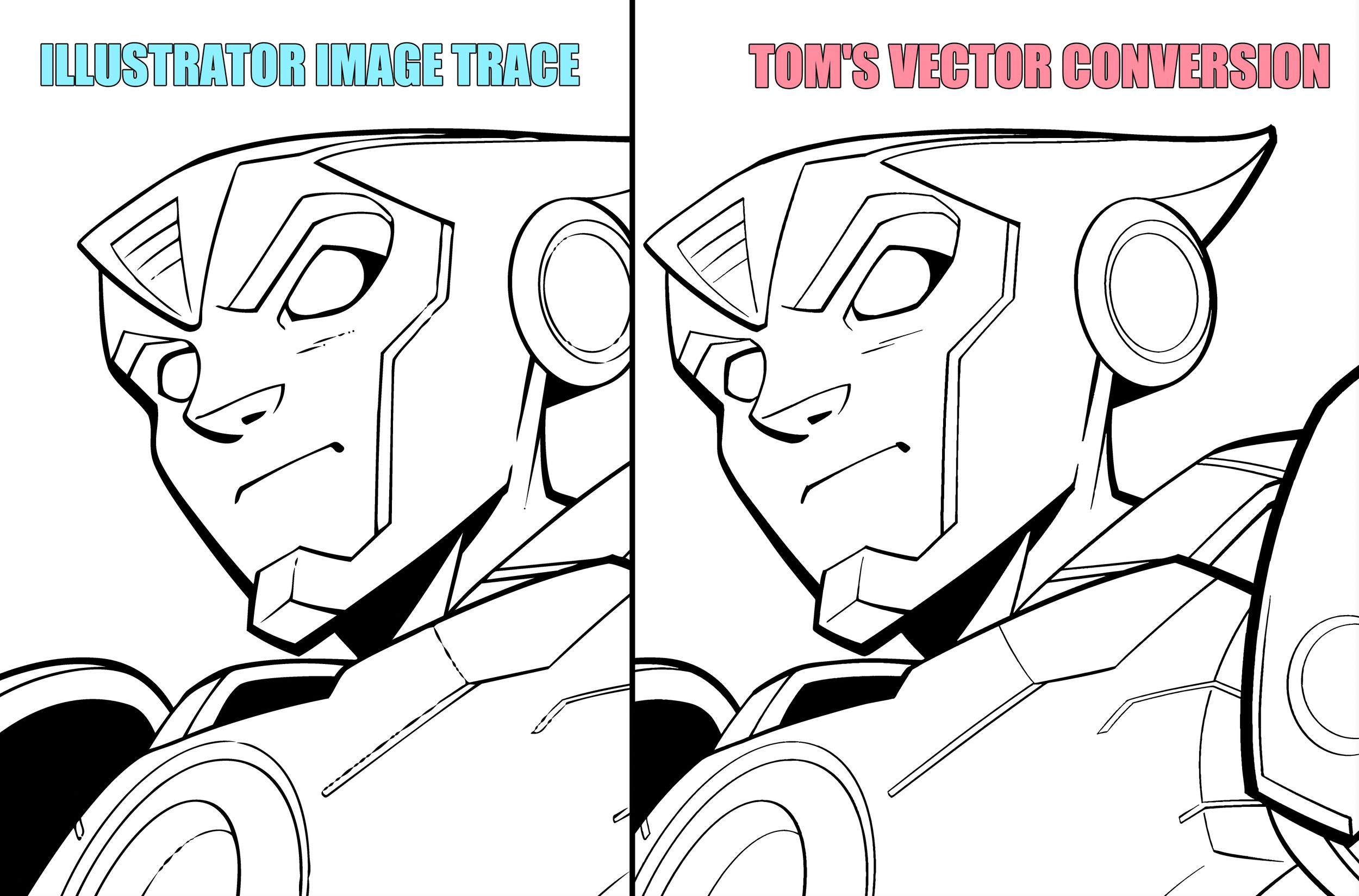 Image 1 of 8
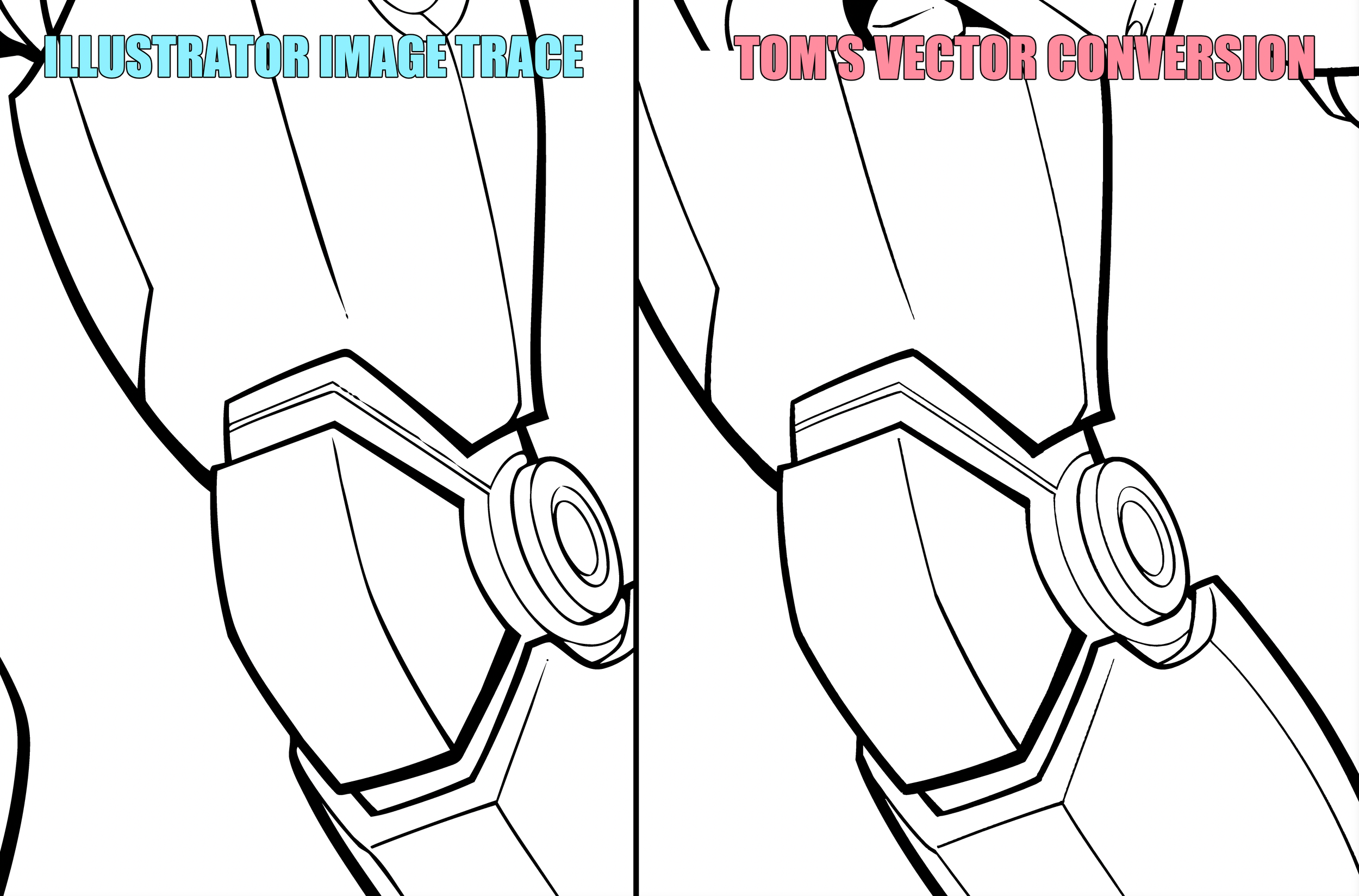 Image 2 of 8
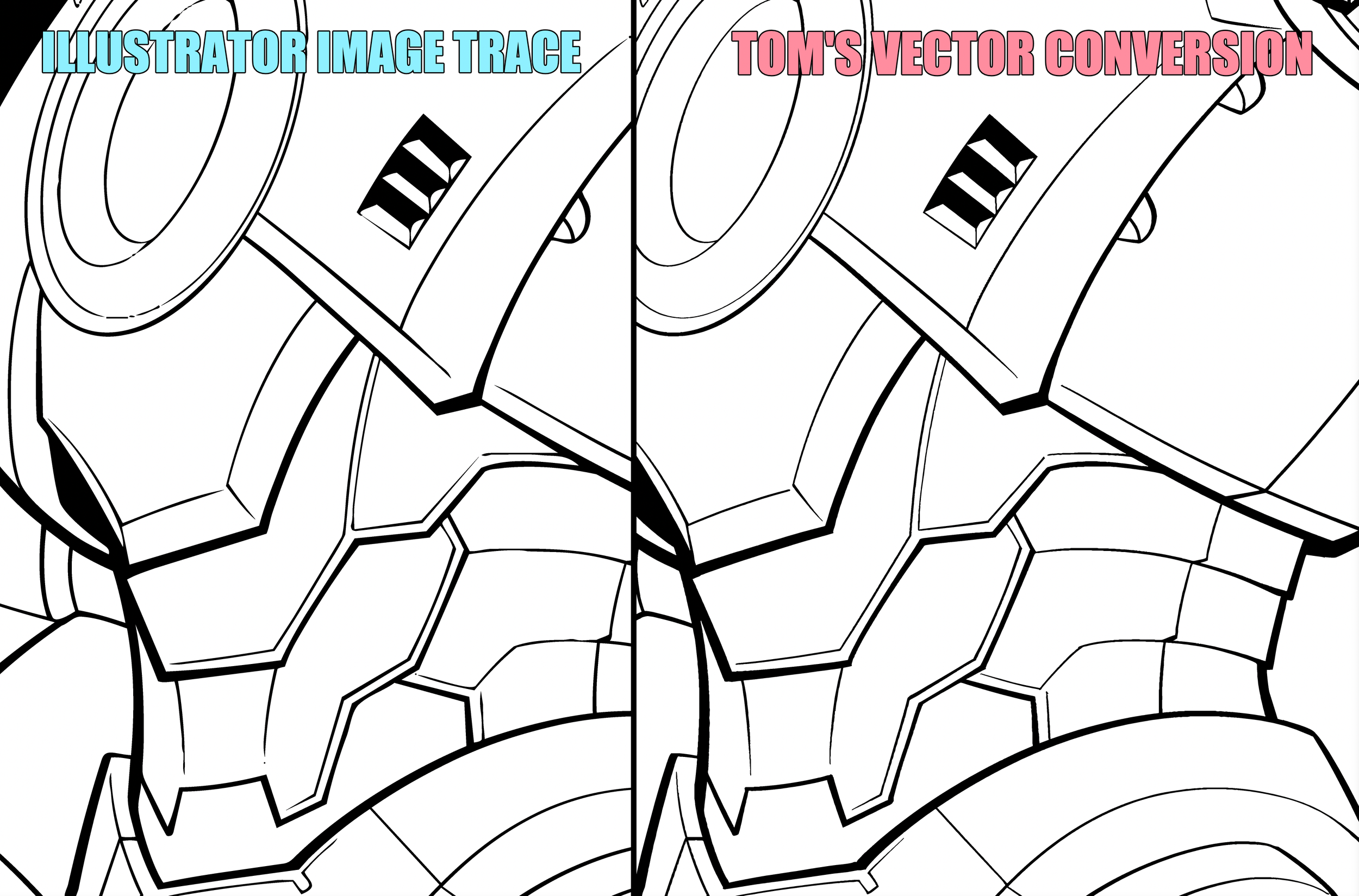 Image 3 of 8
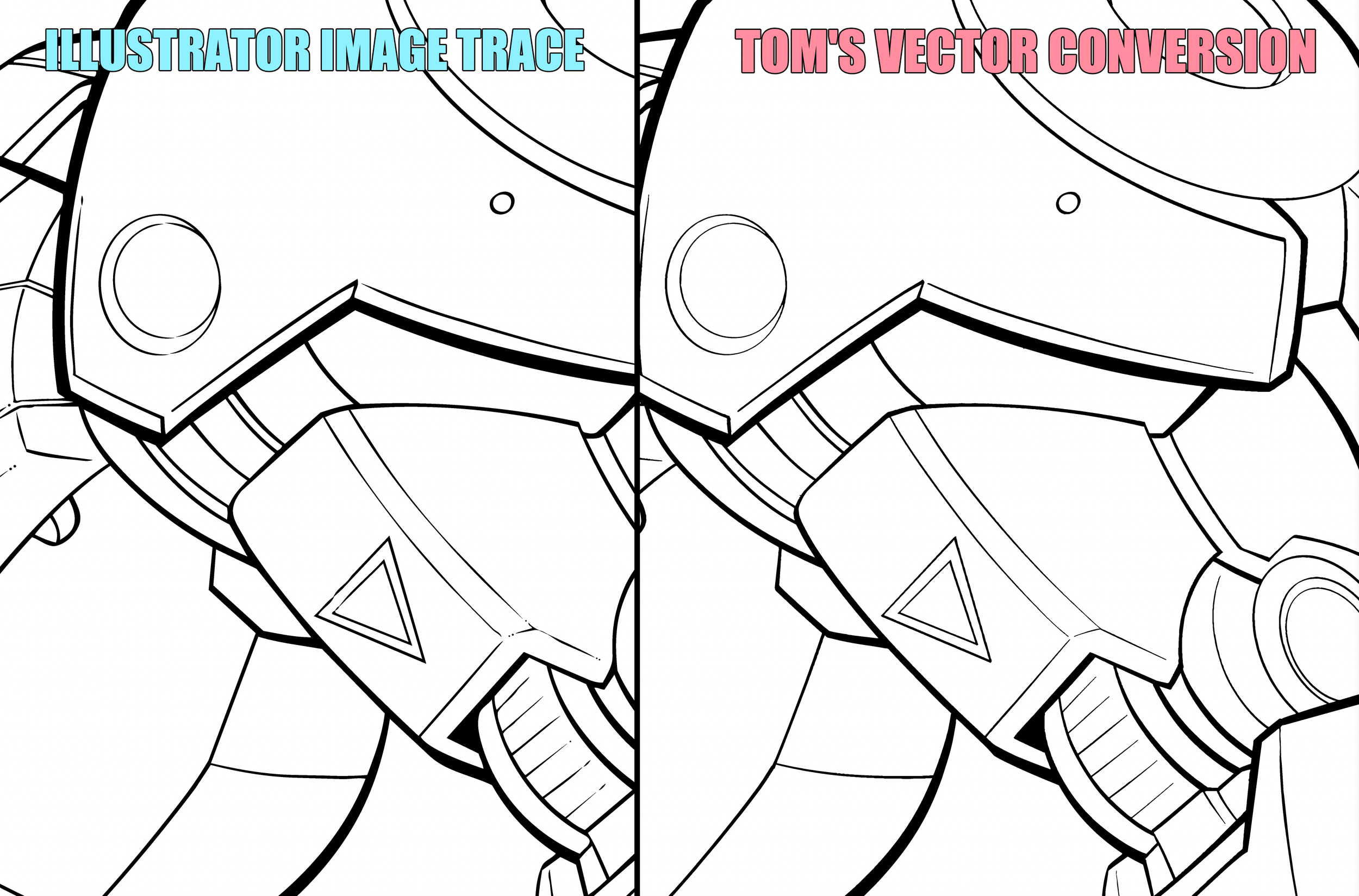 Image 4 of 8
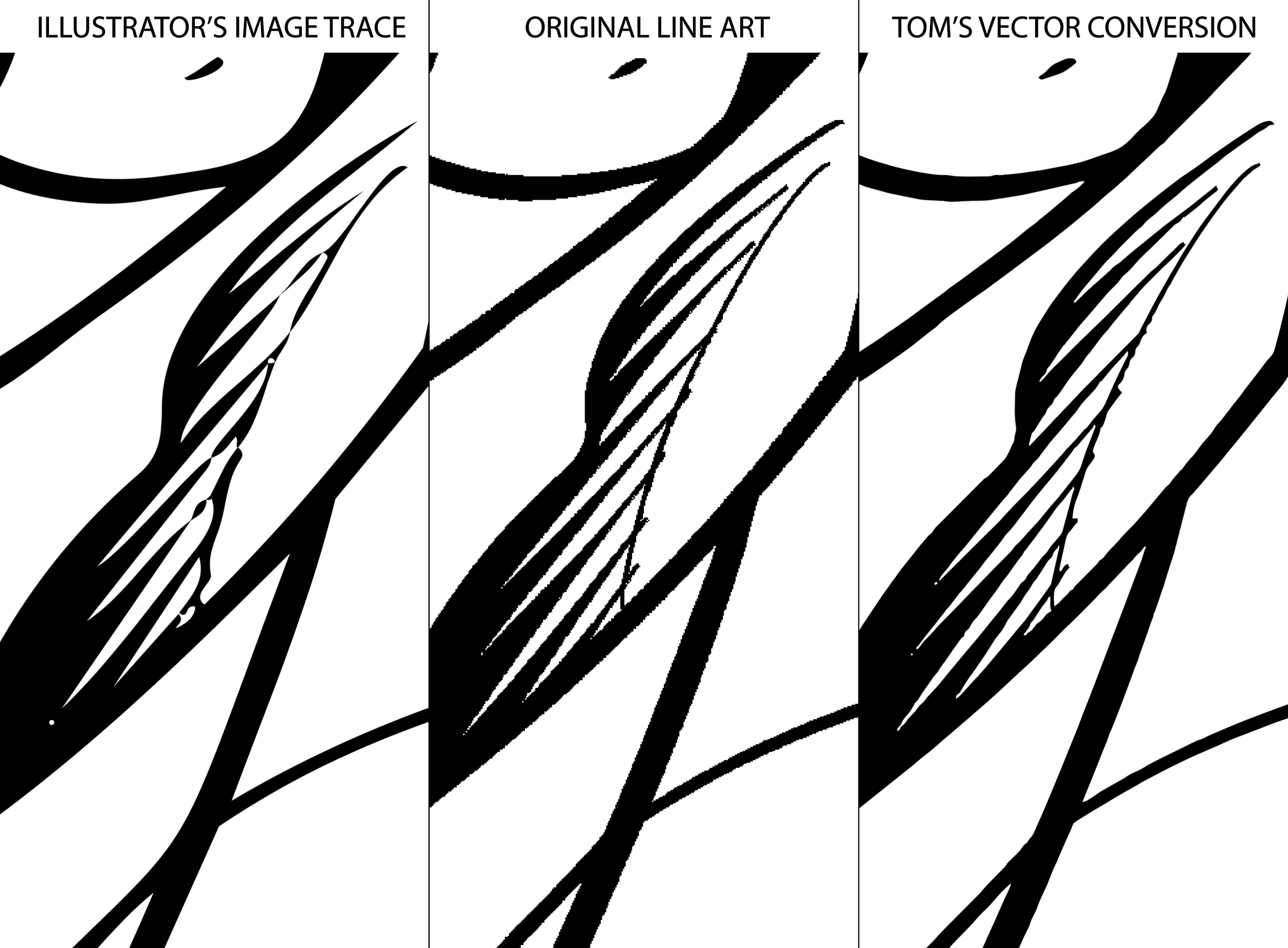 Image 5 of 8
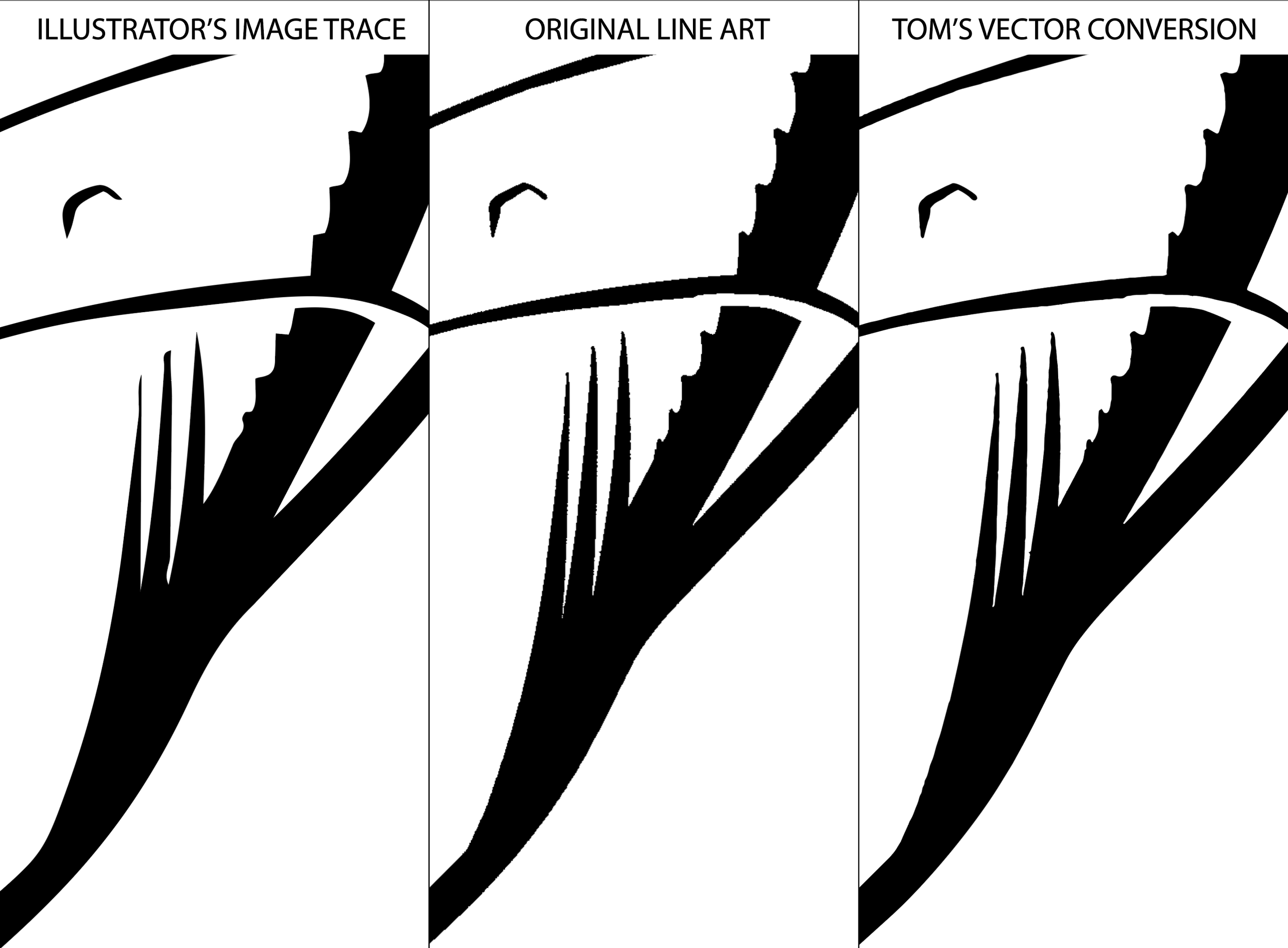 Image 6 of 8
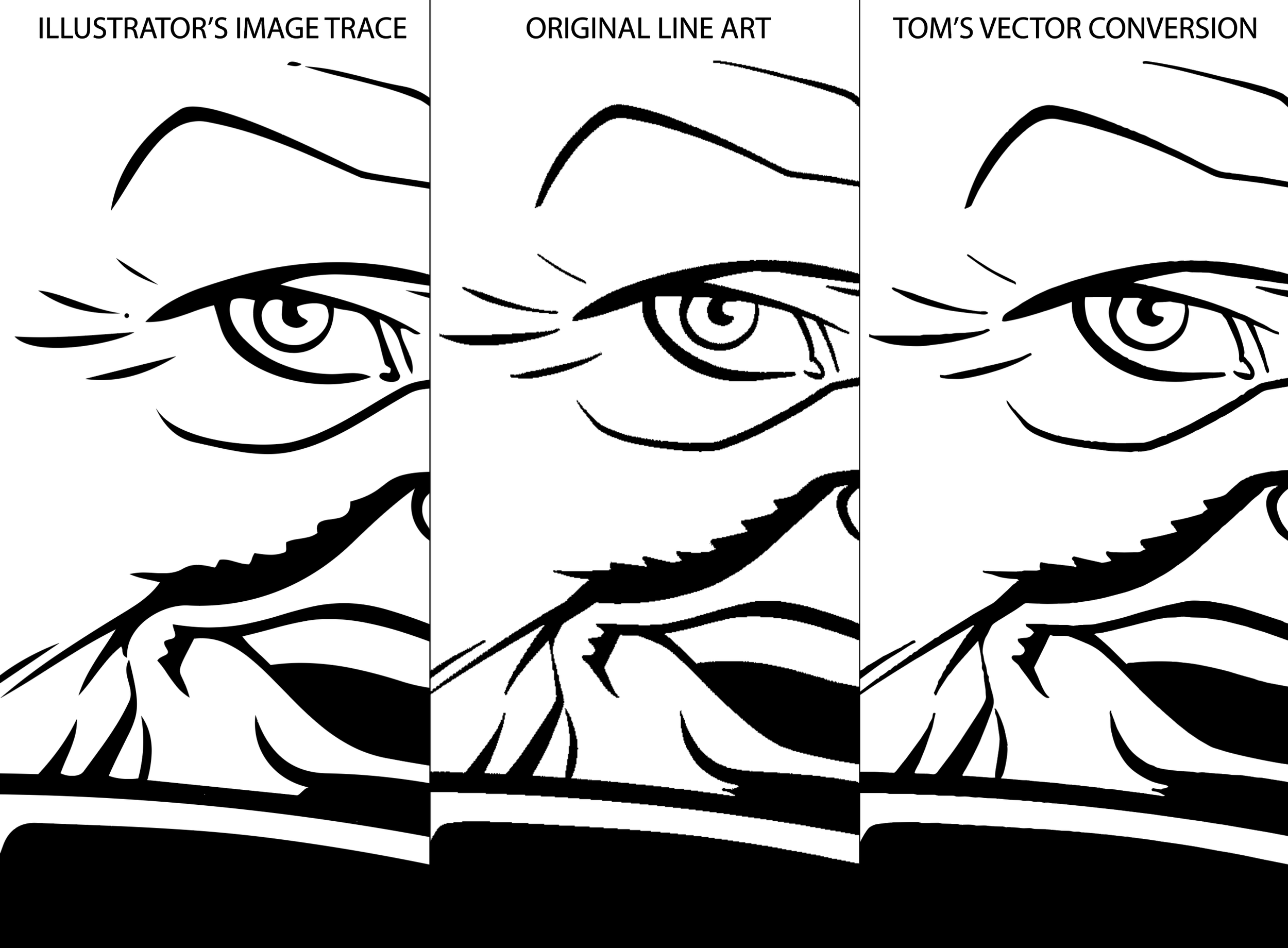 Image 7 of 8
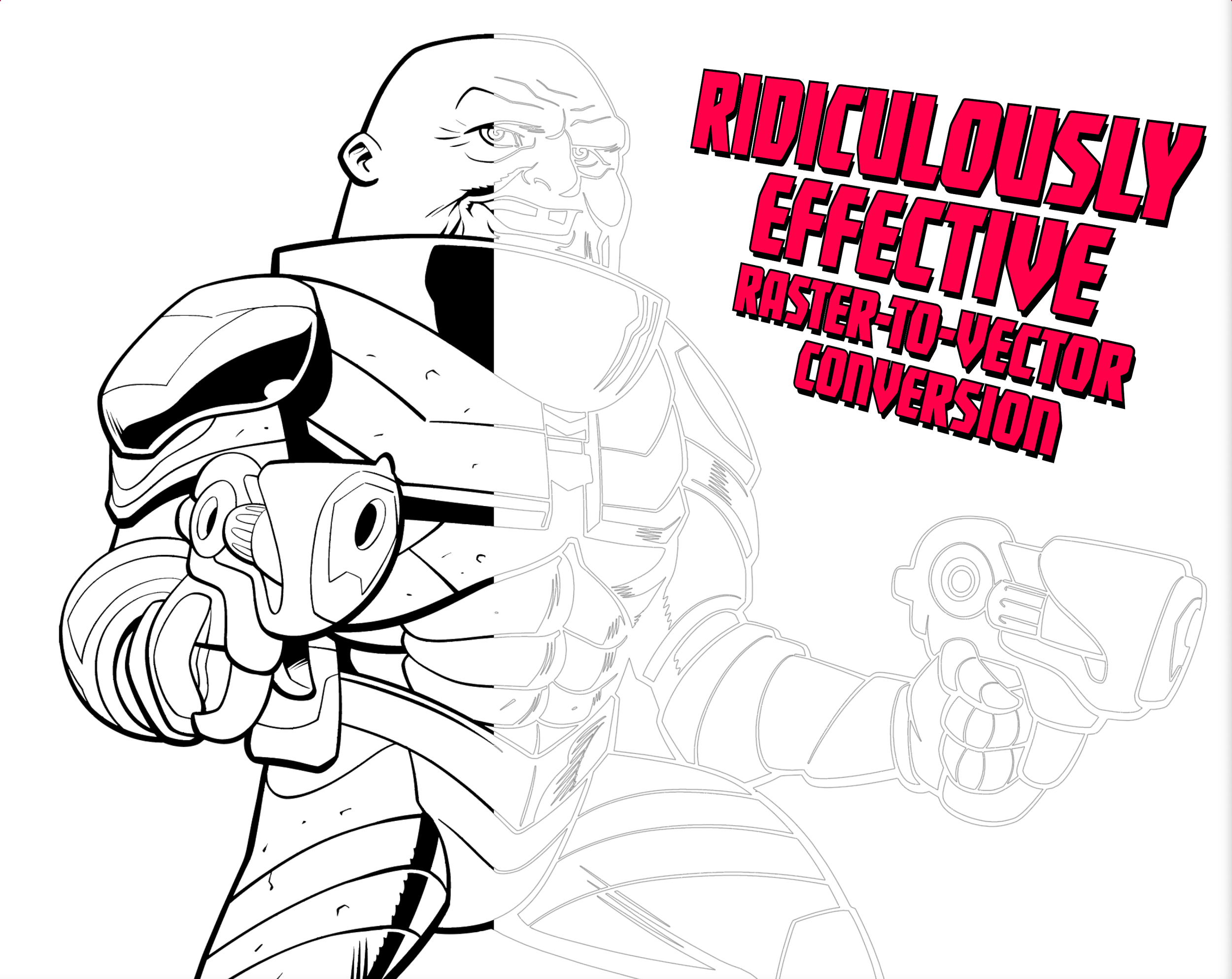 Image 8 of 8